
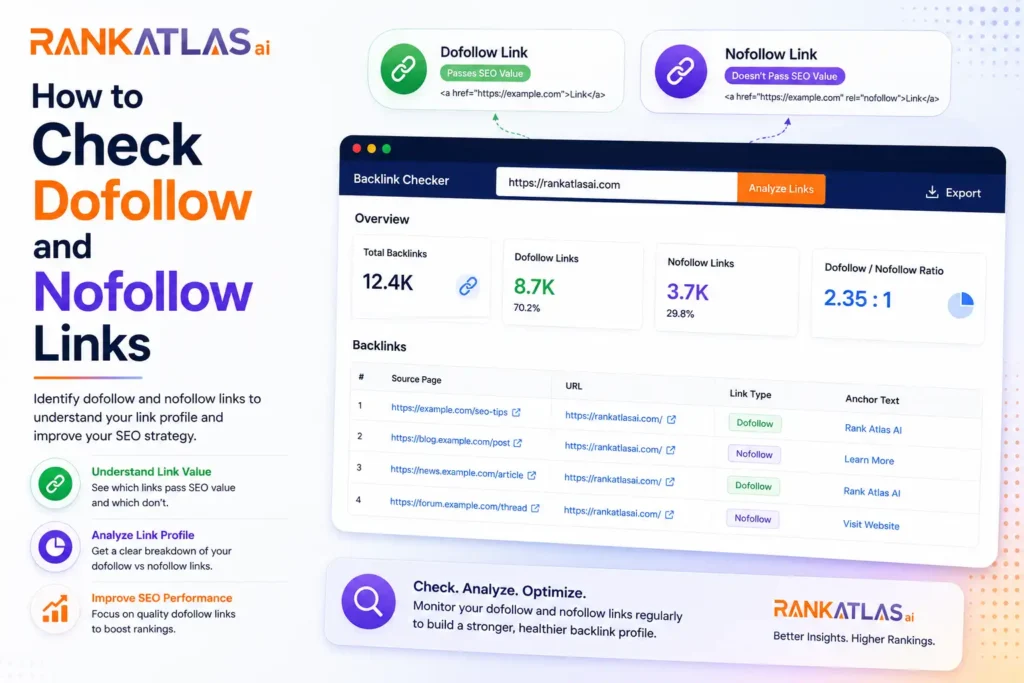
Understanding which of your backlinks are dofollow and which are nofollow is important because dofollow links pass authority to your site while nofollow links do not. Here are all the ways you can check them.
Using Ahrefs
Ahrefs is one of the most reliable ways to check dofollow and nofollow links at scale. Go to Site Explorer, enter your domain, and head to the Backlinks report. From there, you can filter by link type and see exactly which links are dofollow and which are nofollow across your entire backlink profile.
Using Semrush
Semrush works similarly. Go to Backlink Analytics, enter your domain, and open the Backlinks tab. You will see a column showing the link type for each backlink, making it easy to sort and filter by dofollow or nofollow.
Using Moz Pro
In Moz Pro, head to Link Explorer and enter your URL. The backlink report shows link type as a column and you can filter accordingly. Moz also lets you check this at the page level, not just the domain level, which is useful for deeper audits.
Using Google Search Console
Google Search Console does not directly label links as dofollow or nofollow, but it shows you all links Google has discovered pointing to your site. For a free option with reliable data straight from Google, it is worth checking alongside a dedicated SEO tool.
Checking Manually in Browser
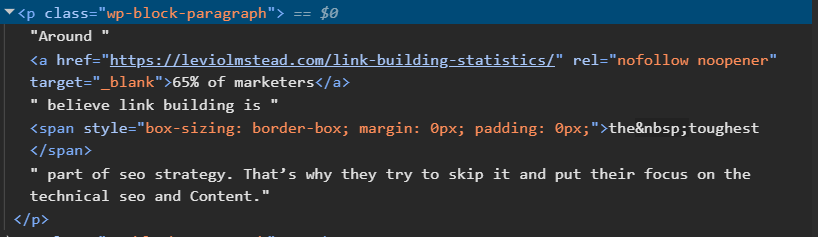
If you want to check a specific link on a page without any tools, right click on the page and select Inspect or View Page Source. Look for the anchor tag of the link and check whether it contains rel=”nofollow”. If it does, it is a nofollow link. If there is no rel attribute or it says rel=”dofollow”, it passes authority.
Using Browser Extensions
Several free browser extensions make this much faster without digging into source code.
- Nofollow Chrome Extension highlights all nofollow links on a page with a red border so you can spot them instantly
- MozBar shows link type information directly on the page as you browse
- Ahrefs SEO Toolbar displays dofollow and nofollow status for links on any page you visit
- SEOquake also flags nofollow links and gives you a broader on-page SEO breakdown alongside it
Using Screaming Frog
For a full site crawl, Screaming Frog is the most thorough option. Crawl your site or a competitor’s site, go to the Links tab, and export a complete breakdown of every internal and external link, along with its follow status. This is especially useful when auditing large sites where manual checking is not practical.
The method you choose depends on what you need. For a quick check on a single page, a browser extension or manual inspection works fine. For a full backlink audit across your entire domain, Ahrefs or Semrush will give you the most complete picture.